1. The One Question Every Drone Operator Gets Wrong
Ask a drone operator how much their aircraft can carry, and they'll quote the manufacturer's maximum payload spec. "My DJI Matrice 350 RTK can lift 2.7 kilograms." Technically true. Practically dangerous.
That 2.7kg number assumes ideal conditions: sea level, 25°C, no wind, brand-new battery, and a single payload mounted at the aircraft's center of gravity. The moment you add a bracket — the physical interface between your drone and your payload — you introduce weight, offset, and structural limits that eat into that theoretical maximum. A DJI M30 with a PSDK quick-release bracket at 14 grams seems negligible. But add a loudspeaker at 570g, a strobe light at 137g, and a spotlight at 288g — suddenly you're at 1,009 grams on a platform rated for roughly 400g of total auxiliary payload. The math didn't fail. The planning did.
This guide shows you exactly how to calculate your drone's real payload budget, how brackets affect weight distribution, and how to avoid the three most common overloading mistakes that cause crashes, motor failures, and warranty voids on DJI enterprise platforms.
2. Understanding Your Drone's Real Payload Budget
2.1 Maximum Takeoff Weight (MTOW) vs. Empty Weight
Every DJI enterprise drone has two numbers you need to know:
Maximum Takeoff Weight (MTOW): The absolute maximum the aircraft can weigh at takeoff, including the drone itself, batteries, all payloads, and any brackets or adapters. Exceeding MTOW triggers motor overload warnings and, on DJI platforms, can lock the aircraft into a forced landing.
Empty Weight (Aircraft + Battery): The weight of the drone with standard batteries installed but zero payload.
Available Payload Budget = MTOW - Empty Weight
Here's what this means across DJI's current enterprise lineup:
DJI Mavic 3 Enterprise / Thermal: MTOW 1,050g | Empty ~915g | Available: ~135g. You can add a lightweight strobe (65g) and a compact bracket (14g). A loudspeaker alone exceeds the budget.
DJI Matrice 30 Series: MTOW ~4,000g | Empty ~3,600g | Available: ~400g. A dual-payload setup with speaker (265g) + strobe (137g) + adapter bracket (29g) = 431g — already pushing the limit.
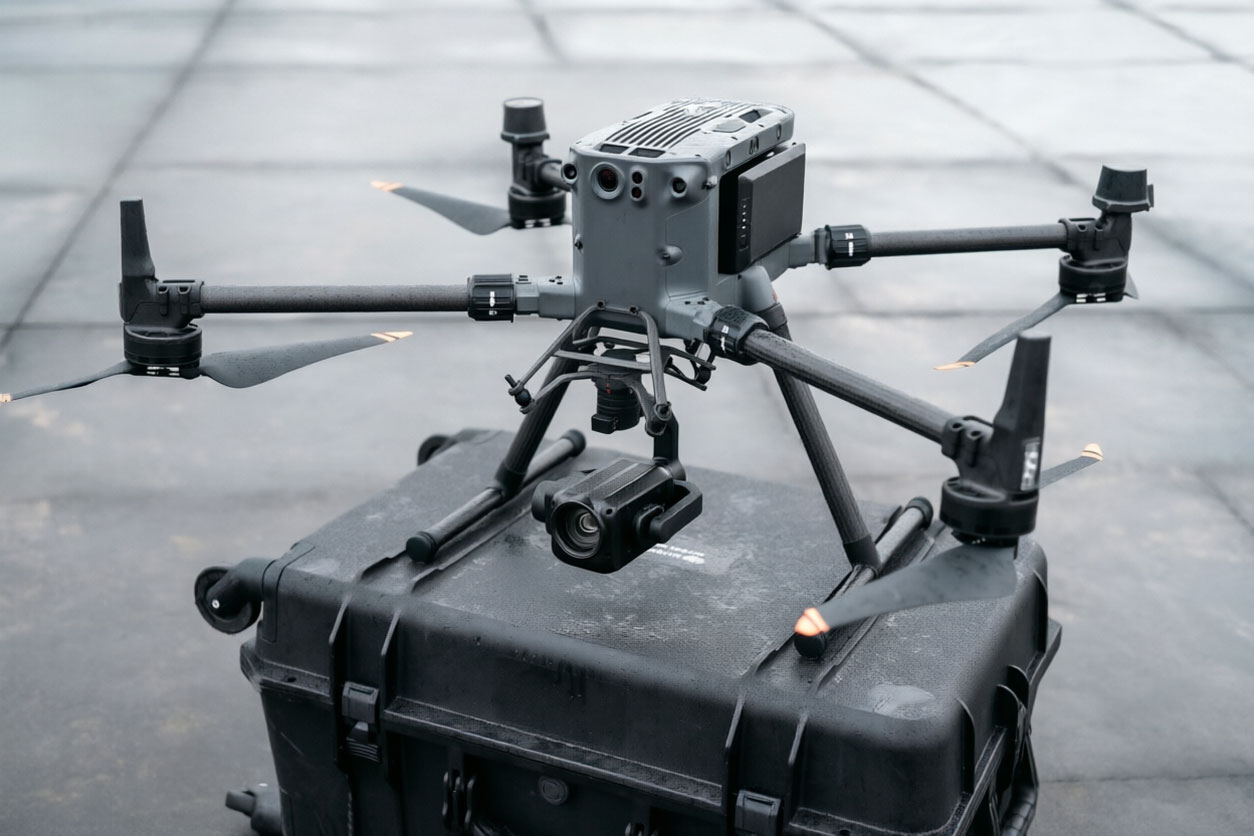
DJI Matrice 350 RTK: MTOW 9,200g | Empty ~6,500g | Available: ~2,700g. The workhorse. Can carry H30T thermal camera (900g), loudspeaker (570g), strobe (137g), spotlight (288g), and brackets (68g) = 1,963g. Well within budget with 737g to spare.
DJI Matrice 400 Series: MTOW 9,200g | Available: ~2,700g. Same budget as M350. The center gimbal mount (80-165g) supports dual-payload configurations.
DJI FlyCart 30: MTOW ~42kg | Available: up to 40kg with the center triple-load bracket. A completely different class — cargo, not cameras.
2.2 The Bracket Tax: Why Every Gram of Mounting Hardware Counts
Payload brackets aren't just accessories — they're part of your weight budget. A DJI M350 PSDK quick-release bracket weighs just 18 grams. An M400 center dual gimbal mount weighs 165.5 grams. The difference (147.5 grams) is enough to add an entire additional strobe light. The bracket you choose directly determines how much payload capacity remains.
The rule of thumb: Plan your bracket weight FIRST, then allocate remaining budget to payloads. Here's the weight of each common DJI bracket type:
M30 PSDK Quick-Release Bracket: 14g — two-part snap-lock, fastest swap. Best for rapid payload changes in the field.
M30 PSDK Adapter Bracket: 29g — three-part modular, expands mounting options. Best when you need to stack multiple small payloads.
M350 PSDK Quick-Release Bracket: 18g — direct E-Port connection. Best for single-payload quick-deploy on M350 RTK.
M350 SDK Payload Bracket (PSDK/OSDK): 50g each — belly-mounted, supports SkyPort V2 or E-Port payloads. Best for heavier single payloads needing center-of-gravity mounting.
M400 Center Single Gimbal Mount: 80g — 15° tilt design, center-of-gravity optimized. Best for single heavy payload on M400.
M400 Center Dual Gimbal Mount: 165.5g — dual payload interface, 15° tilt. Best when carrying two payloads simultaneously on M400.
FC30 Center Triple-Load Bracket: 350g — supports 3 ET4 units for 12-stage drops at 120kg max. Heavy-duty cargo only.
3. Center of Gravity: The Invisible Killer of Drone Stability
Weight isn't the only concern. Where you place that weight matters just as much. A 500-gram payload mounted 15 centimeters forward of the drone's center of gravity creates a rotational torque that the flight controller must constantly fight. This burns battery, reduces wind resistance, and in extreme cases, causes the drone to tilt uncontrollably during acceleration.
The M400 series addresses this with a deliberate 15-degree tilt in its center gimbal mounts — the payload hangs at an angle that brings its center of mass closer to the aircraft's geometric center. This is not a design flaw; it's an engineering solution to a physics problem that every drone operator should understand.
When calculating your payload setup:
Single payload: Mount as close to the aircraft's center as possible. Use center-mount brackets (OSDK/PSDK belly mounts for M350, center gimbal mounts for M400).
Dual payloads: Balance the weight. If you mount a 570g loudspeaker on one side, put a roughly equivalent payload on the opposite side — or use a dual gimbal mount that distributes weight symmetrically.
Triple payloads: Only with purpose-built brackets like the FC30 Center Triple-Load, which mechanically distributes load across three mounting points.
4. Electrical Limits: Watts Matter as Much as Grams
Brackets don't just carry weight — they carry power. The DJI E-Port (on M30, M350, Mavic 3) and SkyPort V2 (on M300/M350) supply power to the payload. Each port has a maximum power output, and bracket adapters that split power across multiple payloads must stay within the total wattage budget.
The FC30 Front Dual-Load Bracket illustrates this perfectly: designed to simultaneously carry a T90 spotlight and H150S loudspeaker, it specifies a maximum combined power draw of 460 watts. Exceed that, and both payloads brown out mid-flight — losing light AND audio at the worst possible moment.
Key electrical spec to check before building a multi-payload setup:
Single E-Port: Typically 50-60W max. Check your specific drone's PSDK documentation.
SkyPort V2: Up to 85W per port on M350 RTK.
Bracket Power Splitting: When a bracket splits one port into two payloads, the combined power draw must stay within the single port's max. 50W + 25W = 75W on a 60W port = failure.
5. DJI Platform-Specific Load Calculation Examples
5.1 DJI Matrice 350 RTK — Full SAR Loadout
Payload: H30T camera (900g) + Loudspeaker (570g) + Strobe (137g) + Spotlight (288g) + PSDK bracket (50g) + OSDK bracket (50g) = 1,995g. Available budget: 2,700g. Remaining margin: 705g. Safe. This is a fully-equipped night SAR configuration with thermal, audio, visual alert, and illumination — all within budget.
5.2 DJI Matrice 30 — Dual-Payload Patrol
Payload: Speaker (265g) + Strobe (137g) + Adapter bracket (29g) = 431g. Available budget: ~400g. OVER BUDGET by 31g. Solution: use the lighter Quick-Release bracket (14g) instead of the adapter, bringing the total to 416g — still tight but within safety margin. Or, drop the strobe and use the built-in aircraft navigation lights for visibility, saving 137g.
5.3 DJI Mavic 3 Enterprise — Single-Payload Only
Payload: Strobe light (65g) + M30 bracket adapted (14g) = 79g. Available budget: ~135g. Safe with 56g margin. The Mavic 3's limited budget means you choose ONE payload — speaker OR strobe OR spotlight. Never stack all three.
6. Summary: The 5-Step Payload Calculation Checklist
Look up your drone's MTOW and empty weight from the official DJI spec sheet. Calculate Available = MTOW - Empty.
Choose your bracket first. Subtract bracket weight from Available. This is your remaining payload budget.
Add payloads from heaviest to lightest. Stop when the total reaches 80% of Available — leave 20% margin for battery degradation, wind, and real-world conditions.
Check center of gravity. Single payload = center mount. Dual payload = symmetric distribution. Triple = purpose-built bracket only.
Verify electrical budget. Combined payload wattage must stay under the port's maximum. When in doubt, test on the ground with all payloads active for 5 minutes before flight.
The bracket is never the heaviest component in your payload stack — but it's the one that, if chosen wrong, makes every other payload unsafe. Pick the right bracket for your drone, calculate honestly, and leave margin. Your motors, your battery, and the expensive payloads hanging beneath your aircraft will thank you.
Need help selecting the right payload bracket for your DJI enterprise drone? Contact us for a configuration review based on your specific aircraft and mission requirements.